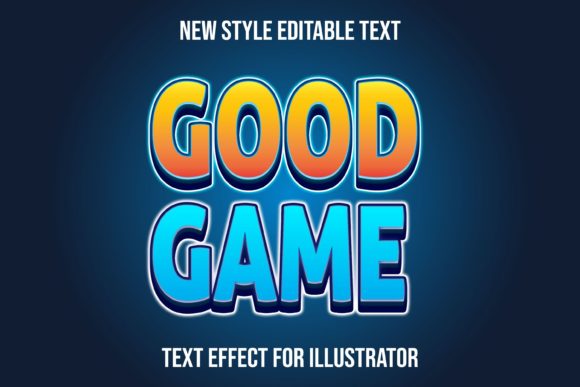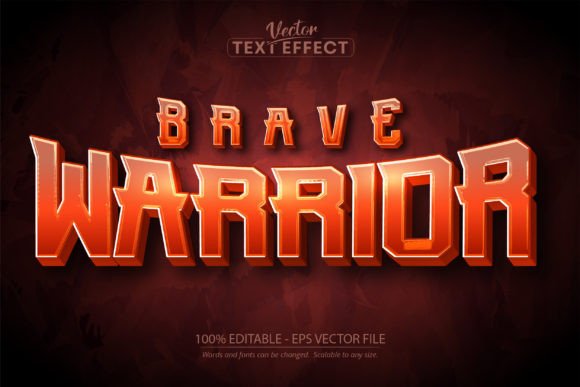
War Game Text Effect: Medieval Design for Modern Projects
There’s something undeniably powerful about medieval typography. It carries the weight of history, the echo of clashing swords, and the grandeur of ancient castles. If you’ve ever wanted to capture that epic, battle-worn aesthetic in your designs without spending hours crafting each letter by hand, the War Game Text Effect offers a compelling solution. This isn’t just another typeface to download and forget—it’s a fully editable design asset built for Adobe Illustrator that transforms ordinary text into something with real visual impact.
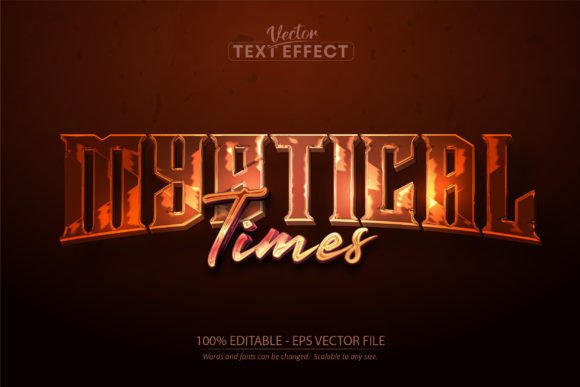
What makes this particular text effect stand out is its versatility. You’re not locked into a single phrase or preset message. Open the file in Illustrator, type your own words, and the medieval styling applies automatically. Whether you’re working on a logo for a craft brewery, creating promotional materials for a gaming tournament, or designing merchandise for a historical fiction brand, the effect adapts to your content. The distressed, hand-carved appearance gives each letter a sense of authenticity that feels earned rather than artificially aged.
Where Medieval Typography Finds Its Place Today
At first glance, you might think a war game text effect only belongs in fantasy projects or historical recreations. But designers and brand strategists are using this style in surprisingly diverse ways. Consider a coffee roaster wanting to evoke old-world craftsmanship, or a fitness brand channeling warrior mentality. The medieval aesthetic taps into primal associations—strength, tradition, endurance—that resonate across industries. When you pair this kind of display font with clean sans-serif body text, you create a visual hierarchy that’s both dramatic and readable.
Packaging design benefits enormously from this approach. Imagine a hot sauce label with bold, battle-scarred lettering that promises intensity before anyone reads the ingredient list. Or think about event posters for Renaissance fairs, escape rooms, or themed restaurants. The War Game Text Effect gives you that handcrafted look without requiring calligraphy skills or expensive custom lettering. It scales cleanly from business card size to billboard dimensions, which matters when your brand needs consistency across multiple touchpoints.
Practical Applications Across Creative Industries
Let’s talk specifics about where this design asset earns its keep. For social media managers running campaigns around game launches, movie releases, or seasonal promotions, having an editable medieval text effect means you can produce eye-catching graphics quickly. Instead of searching stock sites for pre-made images with text you can’t change, you control the message entirely. Type your call-to-action, adjust the size, export, and post. The gritty texture and dimensional shadows catch the eye as users scroll through crowded feeds.
Bloggers and content creators working in niches like tabletop gaming, fantasy literature, or historical crafts will find this especially useful for featured images and chapter headings. Editorial layouts for magazines or digital publications covering medieval history, cosplay, or sword-and-sorcery genres benefit from typography that reinforces the subject matter. Even wedding invitations for couples planning a medieval-themed ceremony gain character from this style—think of the couple’s names rendered in that bold, carved appearance on a parchment-textured background.
For small business owners, the commercial licensing potential matters. You can use this text effect on merchandise like t-shirts, mugs, and posters that you sell. You can incorporate it into your logo system. You can feature it on your website headers. The key is understanding that this is a design tool, not a finished product—the creative direction still comes from you. That flexibility is what separates a premium font effect from a static image file.
Working With Typography That Commands Attention
One thing worth noting: a text effect this visually bold requires thoughtful pairing. Slapping a heavy medieval display font next to another decorative typeface usually creates chaos. Instead, let the War Game Text Effect be your star player and surround it with supporting typography that doesn’t compete. A simple geometric sans-serif for body copy, a clean serif for secondary headings—these choices let the medieval styling breathe without overwhelming your audience.
Readability always deserves attention, even with display fonts. At large sizes, this effect reads beautifully. At very small sizes, the distressed details might lose clarity. Test your designs at the actual dimensions they’ll appear—whether that’s a website hero banner at 1920 pixels wide or a product tag at two inches. If the text needs to convey critical information at small scale, consider using the effect only for headlines while keeping functional text in a more conventional typeface.
Color choices amplify the medieval feel. Deep burgundies, aged golds, forest greens, and weathered browns all complement the carved, battle-worn texture. Metallic gradients can push the effect toward a more luxurious or regal direction. Experiment with background textures too—parchment, stone, leather, or dark wood surfaces all create different moods while maintaining the medieval character.
Building Brand Identity With Historical Character
Brand recognition depends on consistency and distinctiveness. If your brand personality leans toward toughness, tradition, authenticity, or adventure, medieval typography supports those values visually. A craft distillery using this style across labels, social media, and signage tells a cohesive story before anyone reads a single word. The visual language does heavy lifting, establishing expectations and emotional responses that align with the brand’s positioning.
The file comes in Adobe Illustrator EPS CS6 format, which means you need Illustrator to work with it. That’s worth considering before purchasing—make sure your software setup supports this workflow. Inside the download, you’ll find the editable file, a preview image showing the effect in action, and a readme document with usage details. The preview uses a specific font for demonstration, but you can substitute any typeface once you open the file and start editing.
For designers building asset libraries, this kind of tool saves significant production time. Rather than manually applying textures, shadows, and distress effects to each letter individually, the effect handles the heavy processing automatically. You focus on composition, color, and context while the medieval styling maintains its quality across every word you type. That efficiency compounds across projects, especially when you’re working under tight deadlines or managing multiple client accounts.
Whether you’re a hobbyist creating a Dungeons & Dragons campaign logo, a marketer developing themed content for a product launch, or a designer building a portfolio piece with historical flair, having reliable design assets that deliver professional results without a steep learning curve makes creative work more enjoyable and more effective. The medieval aesthetic isn’t going anywhere—it continues to captivate audiences because it connects to something timeless in visual storytelling.