Play Text: Adding a Bold Cartoon Vibe to Your Projects
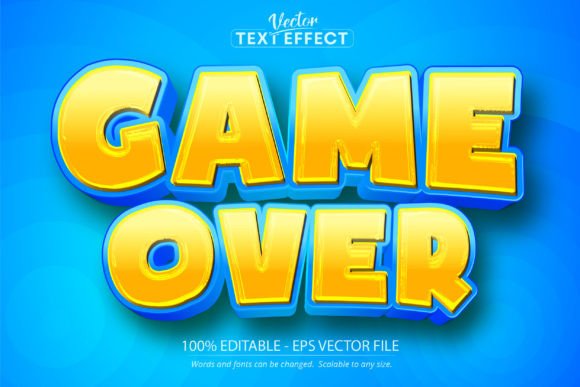
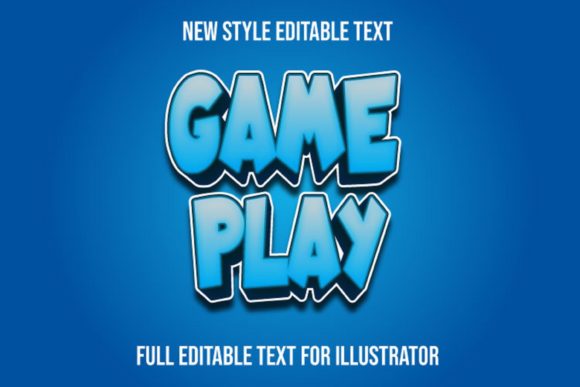
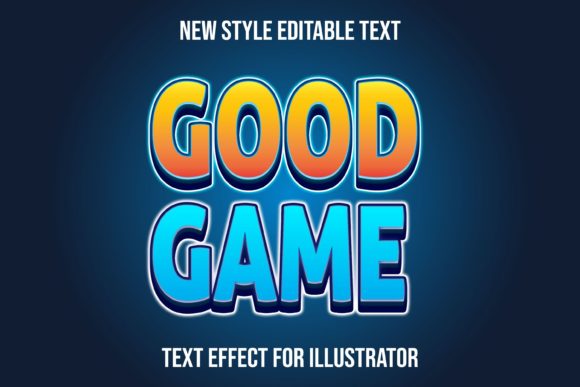
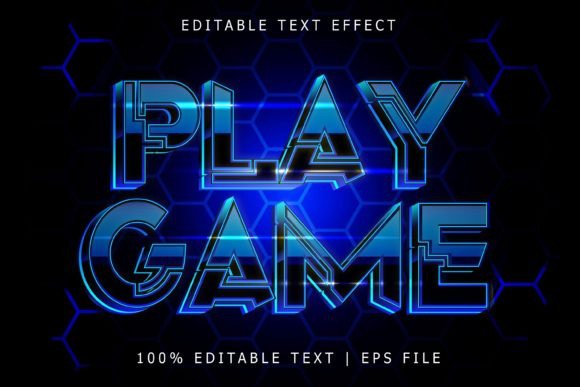
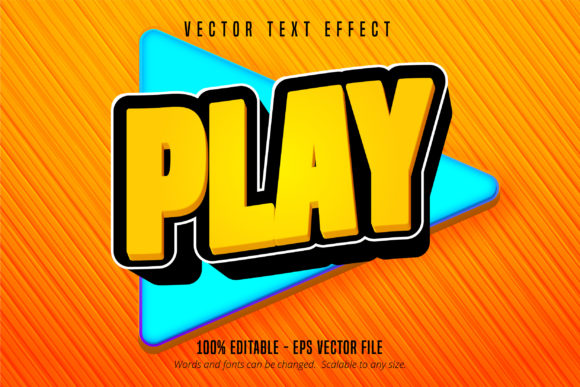
There is something universally magnetic about the aesthetics of classic arcade cabinets and Sunday morning cartoons. It triggers an instant sense of nostalgia and fun that standard corporate typography often fails to achieve. If you have been scrolling through endless libraries of standard sans-serifs trying to find a typeface that screams "action" or "playtime," you are likely looking for something with a bit more personality. That is exactly where the Play Text, Cartoon Game Text Effect comes into the picture. It captures that energetic, bouncy spirit without requiring you to manually draw drop shadows or outlines for every single letter.
However, it is vital to understand exactly what you are working with before you purchase. This specific asset is not a traditional font file that you install into your Windows or Mac system fonts folder. Instead, it is a specialized vector effect designed specifically for Adobe Illustrator. It comes as an ADOBE ILLUSTRATOR EPS CS6 file format. This distinction is actually a massive advantage for designers. Because it is a vector effect rather than a static image or a standard font, it offers a level of customization that standard typography cannot match. You are not just typing letters; you are manipulating a fully editable design asset that scales to any size without losing quality.
The Power of the Vector Effect
One of the most common frustrations in design is finding a cool style in a preview, only to download it and realize it is a rasterized image that turns into a pixelated mess when you try to enlarge it for a poster or banner. The Play Text asset solves this problem immediately. Because it is built on vector paths within Illustrator, it is scalable to any size. Whether you are designing a tiny favicon for a website or a massive vinyl wrap for a trade show booth, the lines remain crisp and the colors stay vibrant.
Another significant benefit is the editability. The listing highlights that it is 100% editable and very easy to edit font and text. In practice, this means you have full control over the "guts" of the design. You can change the main fill colors to match a specific brand palette, alter the shadow depth, or adjust the stroke weight to make the text look even chunkier. If you are working on a project for a client who is very particular about using "Hex Code #FF5733," you can apply that specific color to the text effect in seconds. This flexibility is crucial for maintaining visual consistency across different marketing materials.
Injecting Energy into Branding and Packaging
For small business owners and entrepreneurs, particularly those in the food, toy, or entertainment industries, your brand identity needs to communicate a feeling instantly. A stiff, serif font might work for a law firm, but it will not work for a retro diner or a mobile gaming startup. This is where the cartoon game style shines.
Imagine you are designing the packaging design for a new line of spicy snacks. You need the flavor name to pop off the bag. Using the Play Text effect allows you to create that "POW" or "ZAP" visual impact that grabs attention on a crowded shelf. It mimics the look of premium font styles often seen in high-end illustration work but saves you the hours of manual labor usually required to create that 3D, beveled look.
It is also highly effective for logo design. While you might not want to use a heavy display style for your main body copy, it serves as a fantastic wordmark for businesses that want to appear approachable and energetic. Think about birthday party planners, escape rooms, or children’s educational apps. The Play Text effect provides that immediate visual shorthand for "fun." It helps in building brand recognition because the style is distinct and memorable, setting you apart from competitors who rely on overused defaults like Arial or Times New Roman.
Social Media and Digital Marketing Assets
In the fast-paced world of digital marketing, audience engagement is the currency of success. On platforms like Instagram, TikTok, or YouTube, you have a split second to stop a user from scrolling. Static, boring text often gets ignored. However, bold, colorful typography that mimics the energy of video games or comics naturally draws the eye.
Content creators can use this editable text effect to create compelling thumbnails, channel art, or Instagram Stories. Because the file is an EPS, you can easily import it into Illustrator, change the text to say "New Video" or "Sale Today," and export it for your campaign. This allows you to maintain a consistent, high-energy aesthetic across all your social media graphics. It helps in creating a cohesive marketing assets library that looks professional and intentional, rather than hastily thrown together.
Furthermore, if you are selling digital products—such as printable party kits, stickers, or planner inserts—this asset is invaluable. It allows you to create professional-looking headers and titles for your Etsy listings that stand out in search results. The visual appeal of the cartoon game text effect suggests a high-quality product, which can justify a higher price point and improve conversion rates.
Practical Typography Advice for Playful Projects
While the Play Text effect is visually striking, using it effectively requires a bit of strategy. Here are some practical tips to ensure your designs remain professional and legible:
- Prioritize Readability: Because this is a display-style effect, it is best used for headlines, sub-headers, and call-to-action buttons. Avoid using it for long paragraphs of body text. The intricate details that make it look cool can make large blocks of text difficult to read at smaller sizes. For your body copy, pair it with a clean sans serif font or a simple serif font to provide contrast and ease of reading.
- Test Your Font Pairings: The success of a layout often depends on font pairing. If your main headline uses the bold, 3D style of the Play Text, your secondary text should be subdued. A geometric sans-serif works well to ground the playful headline. Avoid pairing it with other highly decorative styles like a script font or a handwritten font, as this can create visual chaos.
- Color Psychology: Since the file is 100% editable, take advantage of the color options. Bright, saturated primary colors (red, blue, yellow) reinforce the "cartoon" vibe. However, for a more sophisticated editorial design or a high-end fashion brand with a playful twist, you might try editing the effect to be monochromatic—perhaps a sleek gold or silver gradient—to make it feel more like a modern typography piece.
- Consider the Context: Always review the context of your project. This style is perfect for invitations to a casual birthday party, posters for a local comic convention, or merchandise like t-shirts and mugs. It might be less appropriate for a solemn corporate annual report or a medical brochure. Understanding your audience is key to using creative font assets successfully.
Technical Workflow and Commercial Use
It is worth reiterating the technical requirements to save you from workflow headaches. Because this is an Adobe Illustrator asset, you need to have access to Adobe Illustrator to use it. It cannot be opened with other software like Canva, Procreate, or Microsoft Word. If you are a hobbyist who only uses free online tools, this specific file will not work for you. However, if you are a professional designer or a business owner who works with freelancers, this is an industry-standard format that ensures the highest quality output.
When downloading, you will receive an EPS file compatible with CS6 and newer versions. The workflow is straightforward: open the file, locate the text, use the text tool to highlight the existing letters, and type your own. The effect automatically applies to your new text. This ease of use is what makes it a premium font solution—you get professional results without needing advanced skills in 3D modeling or digital painting.
Finally, always pay attention to the licensing. Most assets like the Play Text, Cartoon Game Text Effect come with a commercial license that allows you to use the design in products you sell, such as the merchandise or digital products mentioned earlier. However, you typically cannot resell the EPS file itself as a design asset. Always read the specific license agreement included with your download to ensure you are compliant.
Final Thoughts on Visual Impact
In a crowded digital and physical marketplace, standing out is not just about what you say, but how you present it. Typography is the voice of your brand. By utilizing assets like the Play Text, Cartoon Game Text Effect, you are equipping yourself with a tool that commands attention. It bridges the gap between professional vector design and the playful aesthetics of pop culture. Whether you are refreshing a logo, launching a new product line, or simply creating a fun party invite, this editable vector effect offers the versatility and visual punch needed to make your project a success.