Level Up Your Designs with Video Game Birthday Clipart
Planning a birthday party for a gamer, or designing merchandise for a gaming-themed event? The visual language of video games—bold numbers, pixelated accents, and vibrant colors—immediately evokes excitement and nostalgia. However, creating these elements from scratch can be time-consuming, especially when you need consistent, high-quality assets for everything from invitations to party decorations. This is where a well-curated clipart bundle becomes an invaluable design asset, saving you hours of work while ensuring a professional, cohesive look.
Beyond the Party Hat: A Designer's Toolkit for Themed Projects
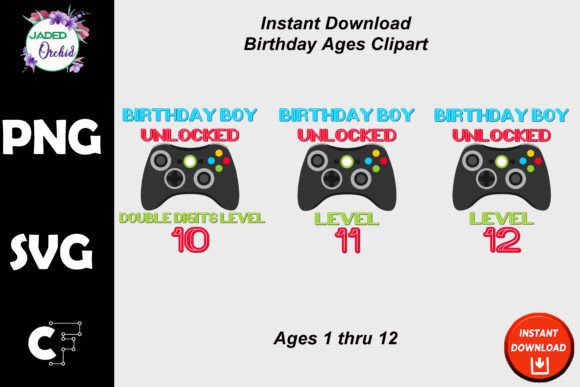
This specific collection of Video Game Birthday Clipart in SVG & PNG format is more than just party graphics. Think of it as a versatile design toolkit. Each birthday age number is provided as a separate, high-resolution file with a transparent background, making it incredibly easy to layer, resize, and integrate into any project without worrying about awkward white boxes or low-quality edges. At 300 DPI and approximately 6 inches tall, these elements are print-ready, ensuring your designs look sharp on physical products like t-shirts, stickers, and posters.
The true value for creatives and small business owners lies in the file formats. The PNG files are perfect for quick drag-and-drop use in photo editing software like Canva or Photoshop. The SVG (Scalable Vector Graphic) files, however, are the real powerhouse. They allow for infinite scaling without any loss of quality—blow them up for a banner or shrink them for a social media icon, and they remain crisp. This makes them ideal for professional print projects and detailed merchandise designs.
Practical Applications: From Social Media to Physical Products
Let's move from theory to practice. How can you actually use these clipart elements to enhance your work or business? The applications are surprisingly broad, especially within the realm of commercial use allowed by the license.
- Branding & Marketing Assets: Create consistent visual themes for a gaming cafe, a YouTube channel, or a gaming-related blog. Use the numbered graphics in promotional graphics, loyalty cards, or email newsletters to celebrate channel anniversaries or subscriber milestones.
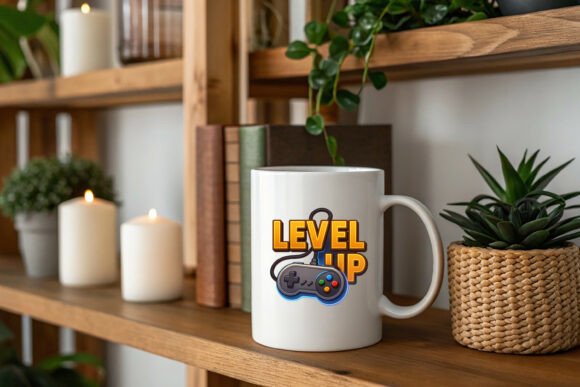
- Merchandise & Packaging: Design eye-catching graphics for t-shirts, hoodies, mugs, and phone cases. The transparent PNGs are perfect for sublimation printing. You can also use the numbers in product packaging design for a toy store or a game shop, adding a fun, celebratory element to the branding.
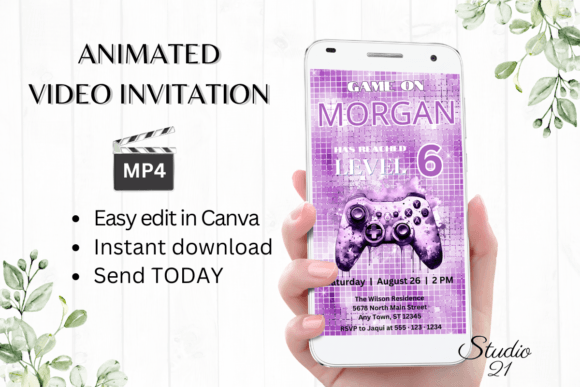
- Print & Digital Products: This is where the bundle shines for entrepreneurs. You can create and sell printable party kits (invitations, thank you cards, banners), digital planners, or social media templates on platforms like Etsy. The Corjl-friendly aspect means you can create editable templates for customers to personalize themselves.
- Event Decorations: Beyond digital use, think physical. Print the numbers on cardstock for centerpieces, cake toppers, or photo booth props. The high resolution ensures they look great even when printed at a larger scale.
The key is to think of these graphics as design elements within a larger composition. They provide a strong visual anchor—the age number—that you can build around with other typography, colors, and textures to create a unique and professional final product.
Strategic Design: Making the Clipart Work for Your Brand
Simply inserting a graphic isn't enough; strategic integration is what sets professional designs apart. Here’s how to approach it with a designer’s mindset:
Consistency is King: Use the same set of numbers across all your assets for a particular event or product line. This creates immediate visual recognition. If you're selling a "Gamer Birthday" printable suite, the consistent style of the numbers from the invitation to the thank you card builds a recognizable mini-brand.
Pairing with Typography: The clipart numbers are bold and thematic. Balance them with clean, legible sans-serif fonts for body text or event details. A simple font like Montserrat or Open Sans won't compete for attention but will ensure all the necessary information is easy to read. Avoid using overly decorative fonts for critical text.
Color Harmony: While the clipart has its own color scheme, don't be afraid to adjust it. In software that supports SVG editing, you can often change the colors to match your specific brand palette or the party's color theme. This simple step elevates the design from using a pre-made element to creating a custom piece.
Remember the licensing terms: you can sell unlimited quantities of physical products and include the graphics in designs you sell as printables or digital downloads. This opens up significant revenue streams. However, you cannot resell the image files themselves—they must be incorporated into a new, transformative design.
A Note on Format and Compatibility
A crucial detail for crafters and makers: this is a clipart bundle, not a font. This distinction is important for software compatibility. While the SVG files are vector-based, they are not structured as installable font files with individual keystrokes. This means they are not recommended for use in Cricut Design Space as a traditional font for typing out words. Instead, you would upload each number as a separate image file to use in your cutting machine projects.
This approach, however, offers more creative control. You can layer the numbers, combine them with other design elements, and resize each component independently—flexibility that a standard font file doesn't provide. For designers using Adobe Illustrator, Affinity Designer, or even Inkscape, the SVG files offer the most control for advanced editing and color manipulation.
In the crowded market of digital design assets, finding a bundle that balances thematic appeal with practical, high-quality file formats is a significant win. For anyone creating content or products around gaming celebrations, this collection provides a reliable, professional foundation to build upon, ensuring your final designs are both fun and impeccably crafted.