Heroic Text Effect: Unlocking Editable Game Style for Designers
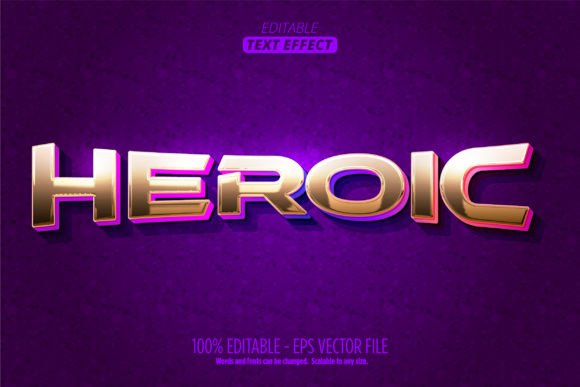
There is a specific visual language associated with high-stakes gaming, blockbuster movie titles, and explosive action branding. It is bold, often textured, and commands immediate attention. If you have been searching for that distinct "impact" typography without spending hours layering effects manually, there is a specialized tool designed to bridge that gap. The Heroic Text Effect is an Adobe Illustrator asset that transforms standard typography into a dynamic, 3D cartoon-style display. It is not merely a static image; it is a fully editable Graphic Style plugin that integrates directly into your workflow.
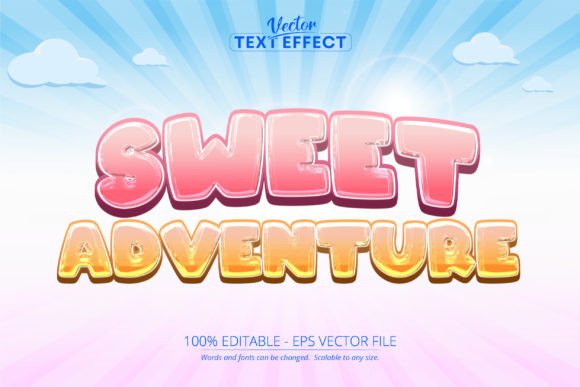
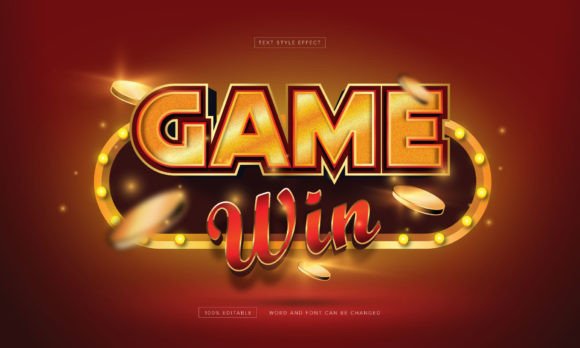
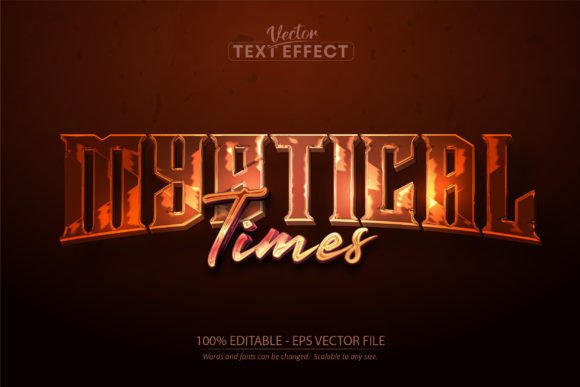
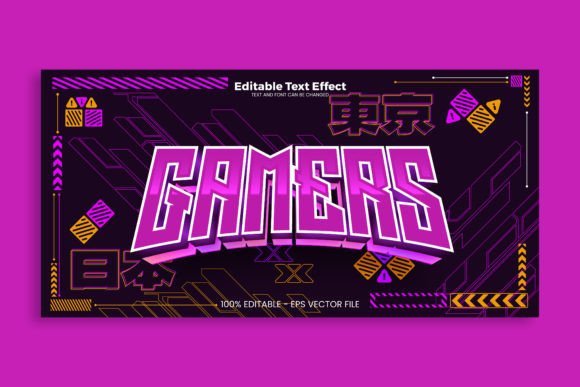
The primary appeal of this asset lies in its ability to generate depth and character instantly. When working on branding or digital content, the font choice is often just the starting point. To truly make a headline pop, you need styling that adds dimension. This particular text effect creates a thick, extruded look with sharp shadows and highlights, mimicking the aesthetic of modern platformer games or animated adventure films. It provides that "larger than life" feeling that makes text look tactile and interactive, rather than flat and two-dimensional.
Practical Applications Across Industries
While the name suggests a focus on gaming, the utility of a bold, cartoon-style text effect extends far beyond the video game industry. Visual communication relies heavily on standing out, and this style of typography is incredibly versatile for capturing attention in crowded markets.
For Branding and Logo Design:
Small business owners looking to inject personality into their brand identity can use this effect to create memorable logos. It works particularly well for family entertainment centers, children’s parties, sports teams, or any brand that wants to convey energy and fun. The 3D aspect ensures the logo remains legible even when scaled down, provided the initial font choice is solid.
Digital Marketing and Social Media:
Packaging and Merchandise:
Physical products require shelf presence. Whether you are designing labels for a new energy drink, packaging for a toy, or graphics for a t-shirt, the editable nature of this vector file allows you to match the color palette of your product exactly. Because the file is scalable to any size without losing quality, it transitions perfectly from a digital mockup to a printed physical product.
Workflow Integration and Editability
One of the most significant advantages of this asset is its format. It is delivered as an Adobe Illustrator Graphic Style. For designers who already use Illustrator, this is a game-changer. Instead of importing a raster image that cannot be modified, you are applying a style to live text. This means you retain full control over the typography.
You can type any word, apply the Graphic Style, and the effect will automatically adapt to the letterforms. This is crucial for maintaining visual consistency across a campaign. If you need to change a headline from "Summer Sale" to "Winter Blowout," you simply edit the text. There is no need to re-render 3D effects or adjust layer styles manually. The "100% editable" promise means you can tweak the colors to fit your specific brand guidelines, ensuring that the "heroic" look aligns with your broader visual identity.
Choosing the Right Foundation
While the effect itself provides the style, the underlying font still matters. To get the most out of the Heroic Text Effect, you should pair it with a display font or a heavy sans serif font. Thin, delicate serifs or intricate script fonts can sometimes get lost beneath the weight of a 3D extrusion. Bold, blocky typefaces tend to work best because they provide a solid surface area for the shadows and highlights to play upon. Before finalizing your design, test a few different typefaces to see how the effect interacts with the letter thickness.
Technical Considerations for Print and Web
Since the asset includes both AI and EPS formats, it is built for professional production. However, when moving these assets between applications—for example, if you need to place the final design into InDesign or export it for web use—keep your layers organized. The PDF documentation included in the ZIP archive is a valuable resource here; it offers quick guides on how to best export your finished text effects to ensure the transparency and shadows render correctly in different environments.
It is important to note that this is a plugin designed specifically for Adobe Illustrator. It will not function in Photoshop or other generic editing software. This specificity is actually a benefit, as it ensures the vector integrity of the design remains intact. You are working with true vectors, meaning you can scale the text to the side of a building or the back of a business card with zero pixelation.
Enhancing Audience Engagement
Design is ultimately about communication. A Heroic Text Effect does more than just look "cool"; it sets a tone. It tells the viewer that the content is high-energy, confident, and perhaps a little playful. In a landscape where audiences are bombarded with information, using a distinct cartoon text effect can humanize a brand. It moves away from the cold, corporate feel of standard typography and invites the viewer to engage.
For editorial design, such as magazine covers or blog post headers, this style can break the monotony of standard layouts. It provides a visual hierarchy that guides the reader's eye directly to the most important information. Similarly, for invitations or event posters, the 3D style creates a sense of occasion and excitement.
When incorporating this effect into your next project, remember that readability is paramount. The most artistic text effect fails if the audience cannot read the message. Use the included documentation to understand how to adjust the depth or shadow intensity if the text becomes too complex. The goal is to enhance the message, not obscure it.
Ultimately, having a toolkit of high-quality design assets